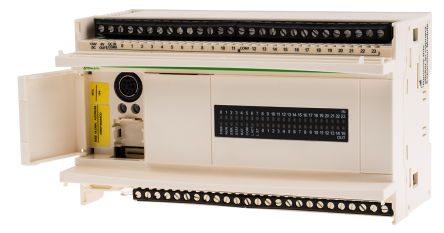

Schneider Electric Twido Logic Module

Programming software designed to assist you in developing projects that utilise Twido controllers.

Schneider Electric Vijeo Designer

Classic Configuration software, Comptible with Harmony and Magelis HMI.

InduSoft Web Studio HMI SCADA Development Software

InduSoft is a powerful HMI SCADA software platform that provides supervisory control and data acquisition applications.

Schneider Electric PLC Upgrade

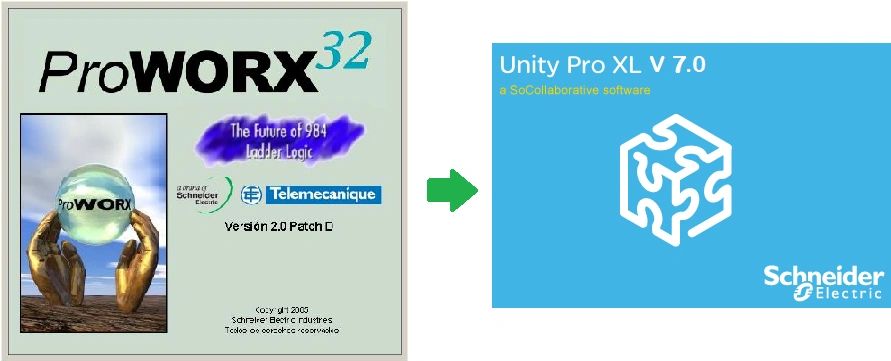
ProWORX 32, 984LL Programming software, Programming software for Modicon PLCs.

EcoStruxure™ Control Expert (formerly known as Unity Pro)

IEC Programming Software for Modicon PACs - formerly known as Unity Pro.

PL7 MICRO V3.1


PL7 MICRO V3.1


PL7 TOOLBAR


0 comments

MELSEC MEDOC V2.40


MELSEC MEDOC V2.40


Schneider Electric – PLC Software – Modicon & Telemecanique


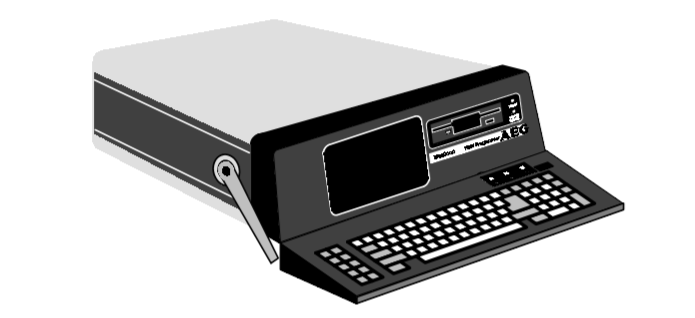
Modicon P230 Programming Panel

if you are new with Modicon PLC especially if you facing Old PLC and you want to upload data from PLC, you might be confuse for Software Option in Schneider PLC / Modicon PLC. here is the detail of each product such as Modsoft, Concept, ProWorx, PL7, Unity Pro, Control Expert

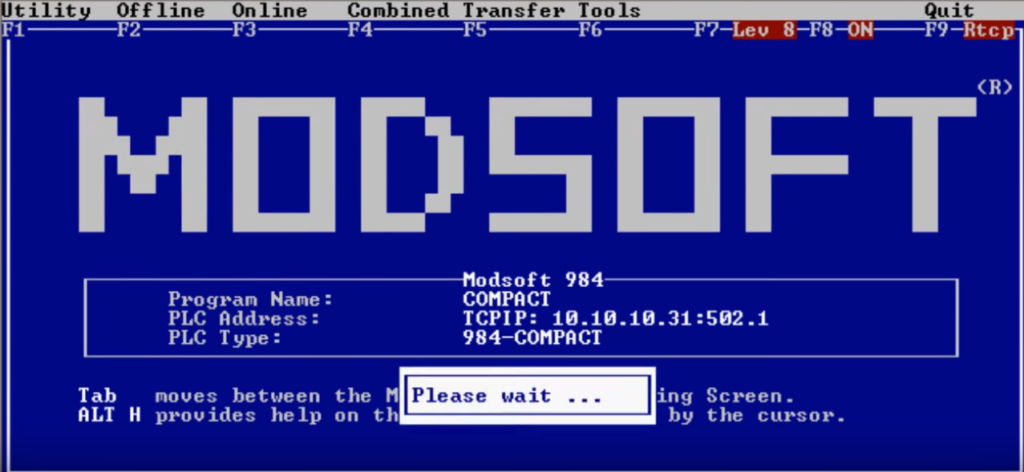
Modsoft :


PLC support by Modsoft:

Modicon 984
Modicon Compact
Momentum Controller
Modicon Quantum Controller
Modicon Microcontroller

Concept (Introduced: 1997):


Concept Software
Concept
International Standard IEC 1131-3
Concept Software is based on Windows Software. it compatible with Windows 98, Windows 2000, Windows XP, and Windows NT. Concept Software is used for programming Modicon Atrium, Modicon Compact, Modicon Momentum, and Modicon Quantum. and also support LL984 (programming ladder from legacy hardware)
Modicon Quantum Controller
Modicon Momentum
Modicon Atrium

ProWORX NxT (Introduced: 2000)


The first introduce of ProWORX NxT is offer graphical interface to programming PLC using mouse.
So, Proworx actually offer the same things with the Modsoft with additional Windows feature (GUI – Graphical User Interface). In other words, Proworx are Windows version of Modsoft. But…. Proworx also have capabilities to program New PLC/CPU which previously designed for Concept Software (IEC).

Supported PLC: All Supported PLC in Modsoft : Momentum, Quantum, 984 Series Slot Mount, Compact, Modicon Micro 110CPU, Modicon Micro984, 984A/B/X Chassis Mount, Atrium and VME controllers).


Installation :

Installation must be done using the supplied setup program.
Start Windows NT, select "Run" on the Start menu, type "a:setup",
press OK and then follow instructions in the setup program.


File description :

C:\MEDOC

-   MEDOC.EXE     MELSEC MEDOC
-   MEDOC.ICO     Icon for MELSEC MEDOC
-   MEDOC.HLP     Help file for MELSEC MEDOC
-   MEDOC.HL2     Help file for MELSEC MEDOC
-   MEDOC.HL3     Help file for MELSEC MEDOC
-   MBAS3.BIN     A3M BASIC Interpreter
-   MBASS.BIN     A3M BASIC Interpreter
-   *.TYP     PLC type files for MELSEC MEDOC


C:\WINNT\SYSTEM32

?   MEDSOCK.DLL     WinSock Interface


Uninstallation :

Files marked with (-) above are only used by this product
and may safely be deleted without side effects for any
other product.

Files marked with (?) above <may> be used by other products
from Beijers, but may safely be deleted without side effects
for products from other vendors.

Files marked with (!) above <may> be used by products from
other vendors and should be deleted with caution.


Related image


How to copy networks between two Modsoft databases.

Published date: 04 February 2014

Goals and Symptoms
To copy networks from one Modsoft database into another Modsoft database.
Causes and Fixes
The example procedure below shows you how to copy five networks from one Modsoft database and paste them into another Modsoft database.

1 - Open the target Modsoft database and go to the Segment Status Display window screen.


2 - Select <F4-Editors>, then <F6-Library>.


3 - Enter the source Modsoft database filename and then select <F4-Editors>, then <F5-Network List>. This will open the Network List of the target Modsoft database located to the right half of the window screen.


4 - Select <F4-Edit>, then using the up and down arrow keys highlight the first network to be copied. Select <F1-Copy>and then use the arrow keys to select any remaining networks. Hit the <ENTER> key, this places them into the buffer.


5 - Go back to the Modsoft target database Segment Status Display window screen.


6 - Select the segment location where you want to paste the networks.


7 - Select <F4-Editors>, then <F5-Network List>.


8 - Select the network location number where you want the networks entered and then select <F4-Edit>, then <F3-Paste>.


0 comments

UnityProXL V13 TRIAL+PATCH


UnityProXL V13 TRIAL

PART1
PART2
PART3
PART4
PART5
PART6
PART7
PART9
http://raboninco.com/FPkW


SN : 21080503890
UNYSPUETUV1X


The problem is the license code UNYSPUETUV1X.
This is a part of the licensing program for XL v13

Code:
UNYSPUETUV1X     Trial one user. CANNOT BE LATER CONVERTED
UNYSPUEFUV1X            1 USER
UNYSPUEFGV1X            3 USERS
UNYSPUEFFV1X           100 USERS


Then just using the serial number above provided and for instance the license code UNYSPUEFUV1X will do the job. Normal installation with 21 days left to register.
If you are already blocked with the demo version, just full uninstall, re-install with the right license code and voilà.


1. Reinstall ..do not restart..
2. Run Patch..and Click Patch ...point to the PrvDisk.exe as in picture above
3. Click then GEN and Copy Registration..
4. Open PrvDisk and Click Options->About...
5. Put any name...and company..but put Registration Code copied before...
6. Enjoy...


UnityPro V13 PATCH
UnityPro_Help


Unity Pro Overview

  • Schneider Unity Pro (V13) is available the software packages: Small (S), Large (L), X Large (XL) and X Large Safety (XLS). The only difference between sizes S, L, XL, XLS is supported controller references (Please read the manual).
  • UP supports the following hardware platforms (with Version V13): Modicon M340, Modicon M580, Quantum, Momentum, Premium and Atrium.

  • The software provides the following programming languages for creating the user program: Function Block Diagram FBD; Ladder Diagram (LD) language; Instruction List IL; Structured Text ST; Sequential Control SFC; Ladder Logic 984 (LL984). All of these programming languages can be used together in the same project. And all these languages (except LL984) conform to IEC 61131-3.
  • Block Libraries
    The blocks that are included in the delivery of Unity Pro extensive block libraries extend from blocks for simple boolean operations, through blocks for strings and array operations to blocks for controlling complex control loops. For a better overview, the different blocks are arranged in libraries, which are then broken down into families. The blocks can be used in the programming languages FBD, LD, IL, and ST.
  • Elements of a Program – A program can be constructed from:
      •  A master task (MAST)
      • A FAST task (not available for Momentum)
      • One to 4 AUX tasks (not available for Modicon M340 and Momentum)
      • Program Units which are assigned one of the defined tasks (available for Modicon M580 and Modicon M340)
      • Sections, which are assigned one of the defined tasks
      • Sections for processing time controlled events (Timerx, not available for Momentum)
      • The sections for processing hardware controlled events (EVTx, not available for Momentum)
      • Subroutine sections (SR)
  • For more detail, you might read the manual.

Schneider PLC Software – UnityPro V13 System Requirements

  • The Unity-Pro V13 XL (or S, L, XLS) software requires one of the following operating systems to be present on the terminal:
      • Microsoft Windows 7 Professional edition 32/64 bits SP1
      • Microsoft Windows 10 Professional edition 32/64 bits
      • Windows Server 2016
  • Minimum and recommended terminal configuration with Windows 7 Professional Edition 32/64 bits SP1:
      • System Pentium processor 2.4 GHz or higher; recommended: 3.0 GHz.
      • RAM 2 GB; recommended: 3 -4 GB.
      • Hard disk space 8 GB including the memory space for the software installation, temporary space for execution and space for saving applications; recommended: 20 GB.
      • Display SVGA 1024×768 or higher resolution monitor with high color 24 bits.
      • A Microsoft mouse or compatible pointing device., web Access, USB port on the computer …
  • Windows 10 64bits is recommended for projects using DTMs (example: projects using Modicon M580 controller).


0 comments

UnityPro V12 UPGRADE

UnityPro V12 UPGRADE

PART1
PART2
PART3
PART4
PART5


UnityPro XL V12

PART1
PART2
PART3
PART4
PART6


Why Unity Pro simulator is not working?

Published date: 28 February 2017

One possible cause is that the port 502 is already in use by another equipment.
The PLC simulator is TCP/IP server on the Schneider port 502.
The quickest way to see which ports are used is to open a DOS windows and to run netstat -a then you will see if port 502 is used or not.


To have more information on the equipment which use the port you can use a freeware like “CurrPorts” Copyright © 2004-2011 Nirsofer, downloadable from http://www.nirsoft.net.
So If another equipment is using this port 502 you will have to configure the equipment using this port to an other port to keep it free for Unity Pro. Unity Pro simulator can not use an other port.


So If another equipment is using this port 502 you will have to configure the equipment using this port to an other port to keep it free for Unity Pro. Unity Pro simulator can not use an other port.
See also
https://control.com/thread/1273524691#1273524691
https://control.com/thread/1026216045
https://control.com/thread/1287459348


0 comments